


Redefining music notation.
Bring musical inspirations to life with the blazingly fast and intuitive Notion® 6 music composition and performance environment. Compose when and how you want and even enter music with your own handwriting. Take projects to the next level thanks to deep integration with Studio One®. Hear and perform music with gorgeous samples by the London Symphony Orchestra and others. Deliver polished scores faster than ever before, from complete film orchestrations to simple lead sheets and guitar tab.
Whether you are an instrumentalist, songwriter, composer, arranger, music educator, or student, you’ll find Notion 6 to be the easiest-to-use and best-sounding notation software on the market today. Notion 6: Redefining music notation.
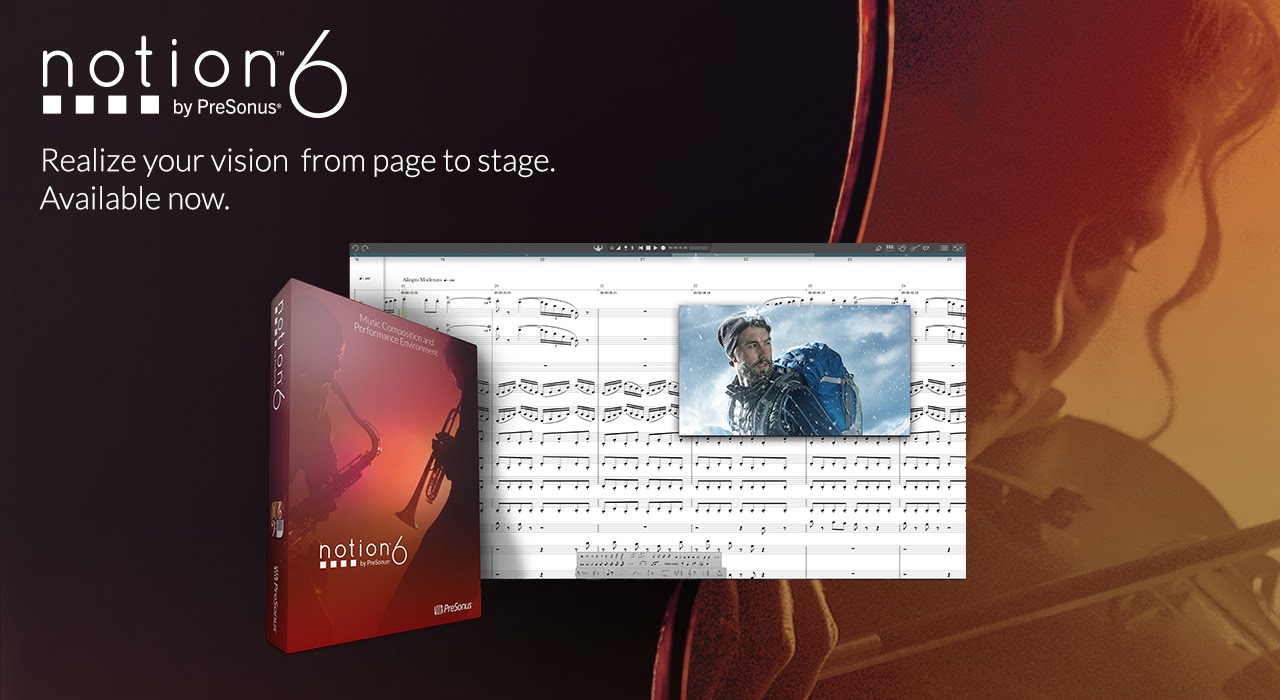

New in Notion 6.
The new features and enhancements in Notion 6 represent the most popular requests from the Notion user community and feedback from users of other notation platforms who are looking to make the switch.
Notable improvements include: cross-platform handwriting recognition; new layout control and features for professional score output; drag to respace measures and systems; new instruments from Soundiron; new video window controls for faster scoring to picture; the new Notion Scores library, with over 100 great works; updated Music XML support for seamless transfer with other apps; MP3 export; MIDI over ReWire for improved integration with leading digital audio workstations; and unprecedented side-by-side workflow integration with Studio One Artist or Professional on the same computer or between multiple computers on the same network.
See the complete list of Notion 6’s new features and enhancements.

Hear your music played by world-class musicians.
Notion gives you by far the best playback of any notation product, including the unmatched realism of orchestral and Steinway samples recorded by the London Symphony Orchestra at the legendary Abbey Road Studios, guitar samples performed by Neil Zaza, bass samples by Victor Wooten, and drum samples by Roy “Futureman” Wooten. All were painstakingly recorded by top engineers using the best equipment. You get a wide array of dynamics, articulations, and performance techniques. New instruments in version 6 include the Notion Harpsichord along with the Lakeside Pipe Organ and Olympus Micro Choir sounds from our friends at Soundiron. But that’s just the beginning of Notion’s playback features.

Your music, in the studio or on the go.
Create a score in Notion for macOS® or Windows®; then continue to work on it on your Windows tablet or iPad®. Or capture inspiration on the fly with your iPhone® and transfer to your computer for in-depth editing. No other notation software can do this. With Notion and Notion for iOS you can seamlessly create, send, and open scores between Mac®, Windows, and iOS® devices and continue to work on your score, anywhere, anytime! No matter which platform you use, you get the high-quality playback sounds for which Notion is famous. Plus Notion 6 is a native 64-bit application on all platforms, so you get fast, efficient, and stable performance too.
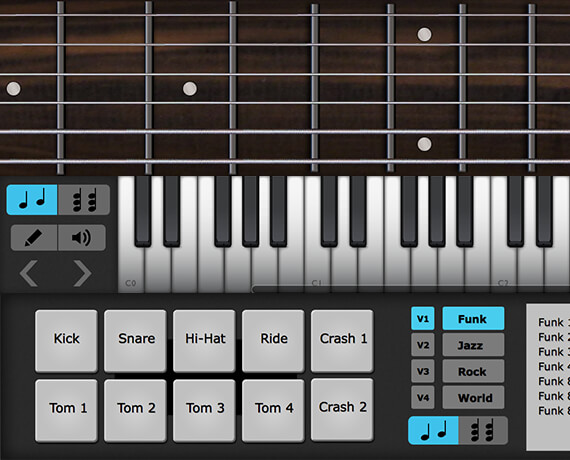
Interactive tools make entry fast and intuitive.
Enter notes with ease using Notion 6’s interactive fretboard, keyboard, and drum pad. It’s the fastest and most convenient way to capture pitches, drum parts, and guitar fingerings. You can even customize the number of guitar strings on the fretboard and the order of entry for each voice for the drum pad. Lyrics can be entered in directly or pasted from any digital source. Want to get your hands on your score? Notion 6’s new Powered by MyScript™ handwriting-recognition feature for Mac, Windows, and iOS lets you write directly into the score, automatically converting your input into digital notation.
Choose chords from a generous chord library and create your own chords. It’s simple to enter the chord name or voicing you want to appear in your score. Choose from standard chord symbols and fretted chord symbols and design custom chord symbols and diagrams. Chords remain on the fretboard for repeated entry, and the software can recall recently used chords. Chord symbols can be attached anywhere over empty measures, meaning lead sheets can be created in no time!

Notion 6’s new Powered by MyScript handwriting recognition feature for Mac, Windows, and iOS lets you write in notes, rests, accidentals, time signatures, and more, automatically converting your input into digital notation. You don’t have to learn custom gestures or specialized software features, nor must you “teach” the software to recognize your writing; simply write music the way you normally do with a paper score.
You can toggle handwriting on and off to write directly into the score area. If you have a large score and don’t want to keep zooming in and out, simply open the optional handwriting window. Use MIDI and step-time entry in the main window and handwriting in the optional window for the best of all worlds.
If you don’t have a touchscreen, use a Lightning cable to connect an iOS device to your Mac or Windows computer and use the iOS device as a graphics tablet, enabled by Duet Display software. Or go with a real graphics tablet, such as a Wacom Intuos® or equivalent. In the classroom, use an interactive whiteboard to draw symbols that quickly convert to digital notation.

Capture MIDI parts and edit them with your score.
Recording MIDI performances and editing MIDI data is easy in Notion. Viewing MIDI and standard notation together makes the experience unique and intuitive. Choose keyboard, guitar, or drum entry and dial in exactly how Notion will follow your playing. Enter in real time or in step time, then view your MIDI performance data in Notion’s Sequencer Staff.
Better yet, use the Sequencer Overlay, which allows you to see notation and MIDI performance data on the same staff. Using drag-and-drop, edit each individual note’s velocity, duration, start point, and end point. For precise values, double-click each note and customize the note’s numeric values directly. Notion combines the power of MIDI sequencing with the clarity of standard notation in a unique and powerful way.

If you compose to picture, Notion 6 is your new best friend.
Film, video, and TV composers have specialized needs that just start with a synchronized video window. Notion’s video window includes a timecode view, and you can add hit points and select the volume, frame rate, and start time. Transport buttons let you control your score from the video window with fine frame control. Unlike other scoring software, Notion can handle all of the most important modern video file formats, including MP4, WMV (Windows only), H.264, MPEG, MOV, AVI, M4V, and 4GP on macOS and Windows. And Notion is the only major scoring program that handles video natively on 64-bit Windows.

Don’t just play your music: perform it, too.
Notion lets you play back a score following metronome marks, but you can also perform your scores live, continuously controlling tempo and velocity. Jump in and out of repeats, vamp measures, fade in and out, and navigate live from your computer keyboard or a MIDI controller.
To top it off, Notion 6 comes with the Notion Score Library, a collection of public domain scores in the Notion format.

Powerful mix engine by the folks who defined digital mixing.
PreSonus® changed live sound with our StudioLive® digital mixers. We turned the production world on its ears with our Studio One® digital audio workstation. While you might not expect advanced mixing capabilities to appear in ordinary notation software, Notion 6 is far from ordinary.
Get truly professional mixes with up to eight stereo buses through the built-in software mixer. Import an audio file to mix with your score or to transcribe from. Process your sounds through eight effects inserts with reverb, guitar-amp simulator, and EQ, compressor, and limiter plug-ins drawn from PreSonus’ Studio One DAW. You can also use your favorite VSTs. Yes, Notion is a professional notation program—but it's clearly much more!
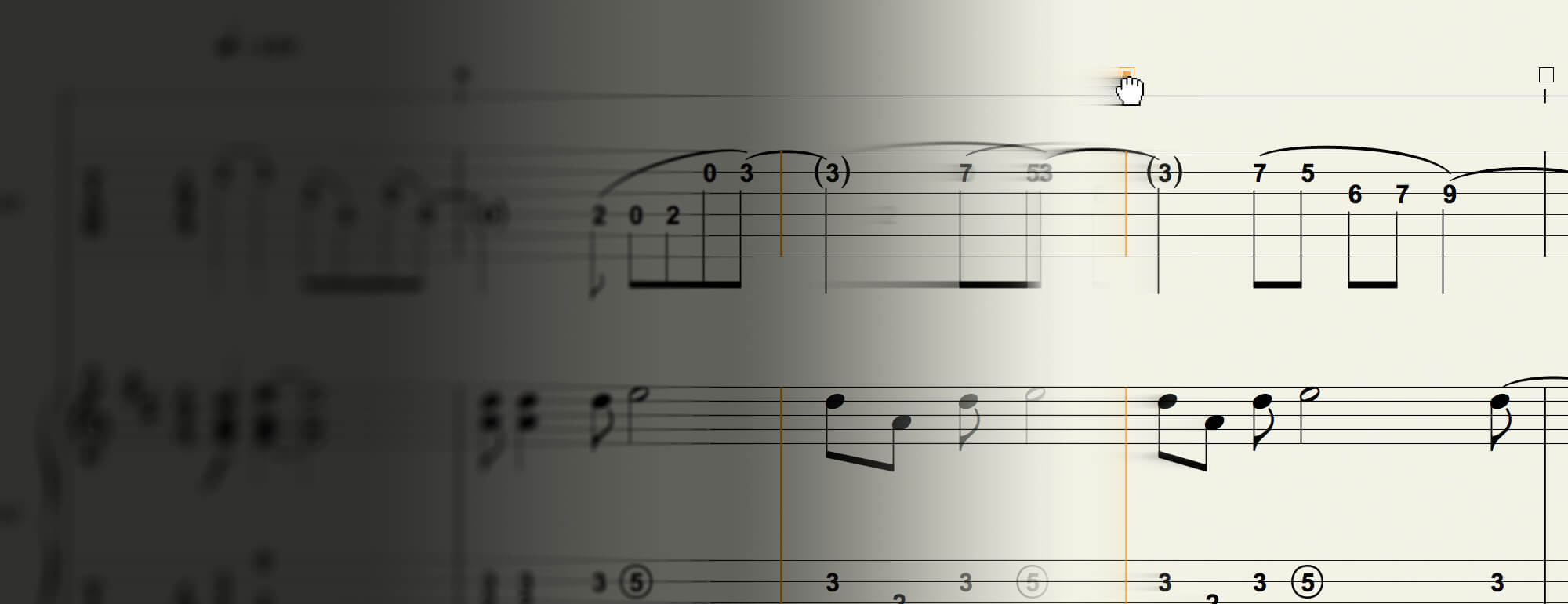
Deliver professional scores and polished performances.
While many Notion layout and notation choices are made automatically so you can focus on creating music, sometimes you need to fine-tune your score’s appearance for easy reading and a professional look. Notion 6 provides new layout handles that let you drag notes, measure lines, time signatures, and more, while avoiding accidental respacing. Show and hide parts independently by system and show/hide resting staves for minimal wasted space and maximum readability. Even drag entire systems up and down on the page to adjust the spacing; when you let go, Notion rejustifies the layout.
When it's time to deliver, Notion has you covered. Print stunning scores and export PDFs. Export standard MIDI files or MusicXML files for collaborating with people using other notation applications. And deliver fully mixed WAV files or MP3s of your entire performance or individual parts.

Serious studio integration.
While Notion exceeds all other notation software with its mix capabilities, you can take compositions to the next level by connecting Notion to a leading DAW through superior realtime audio/MIDI streaming over ReWire. Or create a music production powerhouse by pairing Notion 6 with Studio One 3 (or higher), where you can now send audio, note, track, VST and score data directly between the applications. The workflow between Notion 6 and Studio One is unprecedented, as both applications can run side by side on the same computer or on any computers on the same network.

The complete composer's toolkit.
In addition to individual and educational licensing options, Notion is also available as part of Studio One+, the ultimate toolkit for the modern composer. From simple lead sheets to complete orchestrations, you’ll deliver polished scores fast with award-winning Notion software. Deep integration with Studio One lets you start your score in Studio One and send it to Notion and vice versa. Use Studio One’s Sound Variations to easily set up and control complex orchestral libraries. No matter how you compose, Studio One+ has you covered.
Studio One+ membership benefits include licenses for both Notion and Studio One Professional, plus every Notion Add-on Sound Expansion pack, PreSonus Symphony Orchestra and Studio Grand for Studio One, and so much more. On top of these creative tools, Studio One+ members are also given Cloud collaboration tools and 100 GB storage, a library of exclusive master classes and live streams, with much more added continuously—all for a low monthly or annual membership.
This is an essential upgrade that all current users will want. It places Notion squarely among the ranks of true professional programs, yet it remains the easiest program to learn and use.
George Hess, School Band & Orchestra
You know you’ve got the right tool when it inspires you. I look forward to reinventing my working method by integrating the Notion 6 suite into my creative workflow. Who knows where that will lead?
Sven-Erik Seaholm, San Diego Troubadour
From sounds of the London Symphony Orchestra to stellar Steinway piano samples to the sounds of virtuoso bassist, Victor Wooten, playback quality of Notion 6 alone makes this software worth the investment and a whole lot more.
Andy McDonough, American Songwriter